
PDF Scanner - Cam scanner1.10 - Google Play
You'll be able to see results in few seconds.
Publisher Description



PDF Scanner - Camscanner is a smart scanner app that converts paper documents and images to pdf with a single tap.
Free document scanner easily turns your phone into a portable pdf scanner with high quality, not inferior to expensive scanners. Scan documents free is advanced automatic contour detection, smart cropping, and precision contour detection features ensure clear, sharp, and high-resolution pdf files.
Pdf scanner free can scan photo to pdf many different types of documents to pdf: Receipt, Contract, Tax Roll, Invoice, Business Card, PPT, Passport, ID Card, Driver License, Memo …. Pdf scanner app is suitable for people doing paperwork at the office, students, students studying and doing homework online, busy people who need to send documents quickly.
Function PDF-Scanner:
- Scan pdf from gallery and camera to pdf with just one tap
- Docscan convert scannable all types of documents to PDF
- High quality scan results: clear, sharp and high resolution
- Easily share scanned files in pdf format via email or social networks with friends
- Extract text from images accurately with OCR technology
- Various filters: black and white, magic color, original, gray mode...
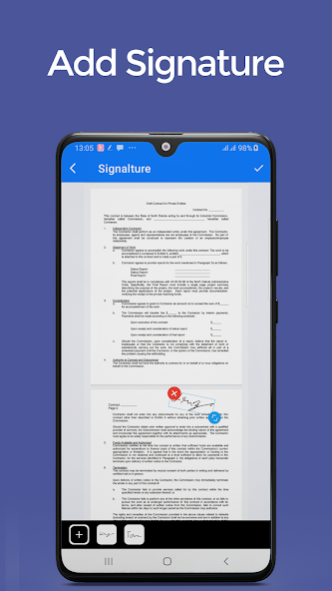
- Create & Add electronic signature to documents
- Mark, protect ownership with Watermark
- Quick file search
- An easy and scientific file management tool
- Edit documents conveniently and quickly
Download PDF Scanner - Camscanner App and enjoy ALL FEATURES ABSOLUTELY FREE!
How useful Document scanner app for your life
✔️ Doc Scan can convert all kinds of documents to PDF format.
✔️ Scan to PDF for pdf files in high quality.
✔️ Scanner document app helps you extract texts from images accurately with OCR technology.
✔️ Camera Scanner helps extract PDFs anytime, anywhere.
✔️ Free PDF Scanner is your best assistant. Download CamScanner app for free!
PDF Scanner - Camscanner App Free meets all your needs. Try it now!
About PDF Scanner - Cam scanner
The company that develops PDF Scanner - Cam scanner is Luckystars Studio. The latest version released by its developer is 1.10.
To install PDF Scanner - Cam scanner on your Android device, just click the green Continue To App button above to start the installation process. The app is listed on our website since 2023-08-23 and was downloaded 0 times. We have already checked if the download link is safe, however for your own protection we recommend that you scan the downloaded app with your antivirus. Your antivirus may detect the PDF Scanner - Cam scanner as malware as malware if the download link to com.luckystars.scannerapp.camerascanner.pdfscanner is broken.
How to install PDF Scanner - Cam scanner on your Android device:
- Click on the Continue To App button on our website. This will redirect you to Google Play.
- Once the PDF Scanner - Cam scanner is shown in the Google Play listing of your Android device, you can start its download and installation. Tap on the Install button located below the search bar and to the right of the app icon.
- A pop-up window with the permissions required by PDF Scanner - Cam scanner will be shown. Click on Accept to continue the process.
- PDF Scanner - Cam scanner will be downloaded onto your device, displaying a progress. Once the download completes, the installation will start and you'll get a notification after the installation is finished.
Program Details
System requirements
Download information
Pricing
Version History
version 1.10
posted on 2023-08-23
CamScanner - PDF Scanner App
Disclaimer
Official Google Play Link
We do not host PDF Scanner - Cam scanner on our servers. We did not scan it for viruses, adware, spyware or other type of malware. This app is hosted by Google and passed their terms and conditions to be listed there. We recommend caution when installing it.
The Google Play link for PDF Scanner - Cam scanner is provided to you by apps112.com without any warranties, representations or guarantees of any kind, so access it at your own risk.
If you have questions regarding this particular app contact the publisher directly. For questions about the functionalities of apps112.com contact us.
